
Intro
Choosing a device for a child can feel like balancing opportunity and risk at the same time. Many families need screens for school, communication, creativity, or simply keeping up with peers, yet parents may worry about sleep, attention, privacy, posture, vision, behavior, and emotional regulation.
This article takes a practical, child-centered approach. It does not assume that devices are either “good” or “bad.” Instead, it helps you consider your child’s developmental stage, health needs, family routines, and the specific features that make a gadget safer, more useful, and easier to manage.
Highlights
The best device is not always the newest or most expensive one; it is the one that matches a child’s age, maturity, needs, and family rules.
Screen time can support learning, creativity, social connection, and accessibility, but excessive or poorly timed use may affect sleep, behavior, and development.
For younger children, co-viewing, predictable routines, and high-quality content matter more than independent access to apps or internet-connected devices.
A family media plan, privacy settings, and screen-free bedtime routines can reduce many common risks after a gadget is purchased.
Why children’s devices are a health and development decision
A child’s gadget is not just a consumer purchase. It can shape daily rhythms, sleep timing, attention patterns, social learning, body posture, exposure to advertising, and family communication. That does not mean every device is harmful; it means the choice deserves the same thoughtful approach parents often use for food, sports, transport, and school materials.
Children differ widely in temperament, sensory processing, impulse control, executive function, language development, and social needs. A tablet that helps one child practice reading may lead another into repeated conflict at transition times. A smartwatch may reassure a family about location and communication, while another child may become anxious from constant messages or monitoring. Context matters.
Professional organizations and pediatric experts generally emphasize quality, timing, supervision, and routines rather than a single universal rule. For very young children, especially under age 2, routine screen use is generally discouraged because face-to-face interaction, movement, sleep, and caregiver language input are central to neurodevelopment. For children ages 2 to 5, limited, high-quality, co-viewed media is usually safer than open-ended independent scrolling. Older children may benefit from devices, but still need boundaries, privacy guidance, and sleep protection.
Potential benefits of gadgets for children
Used thoughtfully, devices can be genuinely helpful. Educational apps, audiobooks, adaptive learning platforms, drawing tools, coding games, and video calls can extend a child’s access to information and relationships. For children with disabilities or learning differences, technology may provide communication support, text-to-speech, visual schedules, enlarged text, captioning, or alternative input methods.
Devices can also support family logistics. A basic phone may help an older child coordinate transport after school. A school laptop may make assignments more accessible. A camera or tablet can let children create videos, music, art, or photo projects rather than only consume content. These creative uses are often more developmentally valuable than passive, rapidly changing entertainment.
Some benefits are social and emotional. A child with a hospitalized parent may maintain connection through video calls. A geographically separated family may use shared games or messaging to stay close. For adolescents, digital spaces can sometimes provide identity exploration, peer support, and access to health information. Still, these advantages depend heavily on age-appropriate content, safety settings, and adult availability for discussion.
A useful guiding question is: “What can my child do with this device that supports learning, connection, independence, creativity, or safety?” If the main answer is uninterrupted entertainment, the device may still have a place, but limits become especially important.
Possible downsides: sleep, behavior, movement, and social development
The concerns around children’s devices are not imaginary. Screen use, particularly when frequent, unsupervised, emotionally intense, or close to bedtime, may contribute to sleep disruption. Light exposure, stimulating content, social notifications, and gaming arousal can delay melatonin-related sleepiness and make it harder for a child to settle. Device-free sleep periods are one of the most protective habits a family can build.
Behavioral effects are also important. Some children become irritable when a device is removed, especially if the app uses rapid rewards, autoplay, or variable reinforcement loops similar to gambling mechanics. Screen transitions and meltdowns are more likely when children are tired, hungry, overstimulated, or asked to stop without warning. Predictable routines, timers, and calm handover rituals can help.
Developmental concerns are strongest in infancy and toddlerhood, when children learn through movement, sensory exploration, facial expressions, shared attention, and back-and-forth communication. Heavy screen exposure can displace language-rich interaction, outdoor play, pretend play, fine motor practice, and sleep. In preschoolers, routine long sessions may reduce time for self-regulation practice and peer interaction.
Physical health matters too. Prolonged sitting can reduce physical activity. Poor ergonomics may contribute to neck, shoulder, wrist, or back discomfort. Extended near work may worsen visual fatigue in susceptible children, producing complaints such as dry eyes, headaches, blurred vision, or eye strain. These symptoms should be discussed with an appropriate clinician, especially if persistent, unilateral, associated with pain, or affecting school performance.
Age and maturity: matching the device to the child
Age is not the only factor, but it is a useful starting point. Infants and toddlers need human interaction, physical play, sleep, and routines more than personal gadgets. Video chatting with family can be reasonable because it is interactive, but routine solo screen time under age 2 is generally not recommended by pediatric guidance.
Preschoolers may use devices occasionally for high-quality, slow-paced, age-appropriate content, preferably with an adult nearby. Co-viewing helps children understand what they see and connect it to real life. For this age group, a simple shared family tablet is usually preferable to a personal internet-connected device. Strong parental controls, no autoplay, no in-app purchases, and short sessions are important.
School-age children often need devices for homework and may begin to ask for gaming systems, tablets, or phones. This is a good stage to teach digital media boundaries for children: where the device is used, which apps are allowed, how long sessions last, and what happens when a rule is broken. A child who cannot yet stop a game without repeated escalation may not be ready for independent ownership.
Adolescents need increasing autonomy, but not complete abandonment. They may require a smartphone for transport, school, work, friendships, or safety. However, social media, private messaging, location sharing, explicit content, cyberbullying and harmful content, and online sexual coercion are real risks. Adolescents benefit from collaborative rules, not only surveillance: discuss sleep, reputation, consent, privacy, misinformation, and what to do if an online interaction feels unsafe.
How to choose the right gadget before buying
Start with the purpose. A device for school research is different from one for gaming, reading, drawing, safety calls, or therapy support. If the purpose is unclear, delay the purchase or choose a less connected, shared device. Many families discover that a tablet with restricted apps meets their needs better than a smartphone.
- Durability: Look for a protective case, repairability, warranty options, water resistance where relevant, and child-safe charging accessories.
- Connectivity: Decide whether the child truly needs mobile data, open web access, Bluetooth, camera functions, location sharing, or messaging.
- Parental controls: Check whether you can manage app downloads, purchases, time limits, content ratings, browser access, contacts, and privacy settings for child accounts.
- Content ecosystem: A device is only as safe as the apps, games, videos, and communities it opens. Preview content and avoid relying on age labels alone.
- Independence level: Ask whether your child can charge it safely, carry it responsibly, follow rules, report problems, and tolerate stopping.
- Cost of ownership: Include cases, subscriptions, data plans, repairs, replacement chargers, and potential accidental purchases.
Consider buying gradually. A basic audio player, e-reader, shared tablet, or limited smartwatch may be enough before moving to a smartphone. For gaming, review multiplayer features, chat functions, spending mechanisms, and whether the game continues indefinitely. For school laptops, ask the school how filtering, monitoring, updates, and take-home use are handled.
Setting up safer use after the purchase
The setup phase is as important as the purchase. Open the box when you have time to configure it, not five minutes before a long car ride or school morning. Create child accounts, turn on privacy settings, disable unnecessary location sharing, block in-app purchases, review contacts, and set age-appropriate content filters.
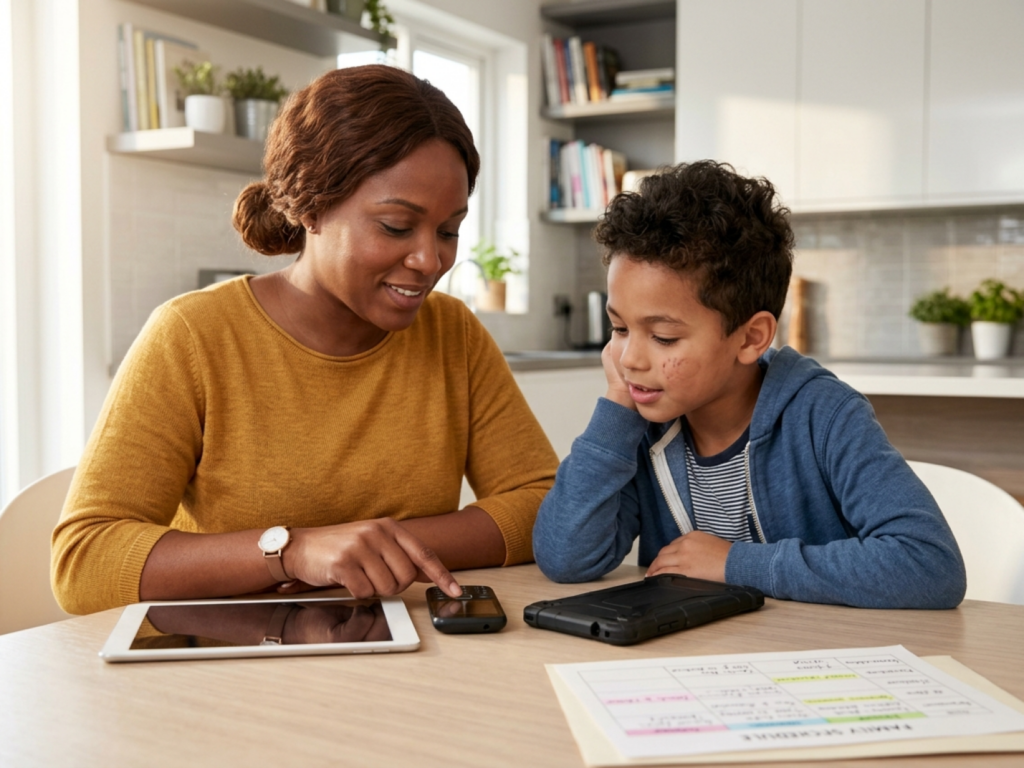
A family media plan can reduce conflict because expectations are visible before emotions rise. It might include screen-free meals, homework rules, charging outside bedrooms, device-free sleep periods, and agreed consequences. Some families use a device charging station outside bedrooms so phones, tablets, and controllers do not compete with sleep.
Modeling is powerful. Children notice adult phone use during meals, conversations, bedtime, and car rides. A parent does not need to be perfect, but saying “I am putting my phone away so I can listen” teaches more than a lecture. Shared rules often feel fairer than child-only restrictions.
Build in transitions. Give warnings before stopping, use visual timers for younger children, and plan what comes next: snack, outdoor play, bath, reading, or chores. Avoid making every stop a negotiation. If your child repeatedly has severe distress around stopping, secrecy, sleep loss, declining grades, withdrawal from offline activities, or aggression related to device use, consider professional assessment of device-related difficulties with a pediatrician, mental health clinician, occupational therapist, or other qualified professional depending on the concern.
Red flags and when to get extra help
Most device challenges can be improved with routines, limits, and better content choices. However, some patterns deserve closer attention. A child who is consistently sleeping less because of screens, hiding use, skipping meals, avoiding all offline play, losing interest in friends, or becoming extremely distressed when disconnected may need more support.
Also seek guidance if screen use appears linked with anxiety, depression symptoms, attention problems, school refusal, headaches, visual symptoms, musculoskeletal pain, or escalating family conflict. These concerns do not prove that the device is the cause. They may reflect underlying sleep disorders, neurodevelopmental differences, mood disorders, learning difficulties, bullying, family stress, or medical problems. A healthcare professional can help sort out contributing factors and recommend an individualized plan.
If a child encounters threats, sexual requests, coercion, self-harm content, or cyberbullying, respond calmly and protectively. Save evidence when safe to do so, block and report harmful accounts, involve the platform or school when appropriate, and contact local emergency or child protection resources if there is immediate danger. The child should hear clearly that asking for help is not a failure and that safety matters more than punishment.
The goal is not to create a screen-free childhood for every family. The goal is a healthy digital environment where devices serve the child’s development, relationships, education, and wellbeing rather than replacing them.
When device use needs urgent attention
- Seek urgent help if online interactions involve threats, coercion, exploitation, or immediate safety concerns.
- Consult a clinician if device use is associated with persistent sleep loss, severe anxiety, depressive symptoms, or functional decline.
- Do not ignore recurrent headaches, eye pain, blurred vision, or musculoskeletal pain related to screen use.
- Keep devices out of bedrooms overnight if sleep is deteriorating or nighttime use is difficult to control.
- For children under 2, avoid routine solo screen use unless a healthcare or developmental professional gives individualized guidance.
Tools & Assistance
- Create a written family media plan with screen-free times and places.
- Set up parental controls, child accounts, privacy settings, and purchase restrictions before first use.
- Use a shared charging area outside bedrooms at night.
- Preview apps, games, videos, and multiplayer features before allowing independent access.
- Ask a pediatrician, school counselor, eye care professional, or mental health clinician for support when device use affects wellbeing.
FAQ
What is the best first device for a child?
Often, the best first device is a shared, restricted tablet, e-reader, audio player, or basic communication device rather than a fully connected smartphone. The right choice depends on age, maturity, purpose, and family supervision.
Should children have screens before bedtime?
It is safer to avoid screens before bedtime and keep devices out of bedrooms overnight. Evening use can delay sleep and make settling harder, especially with games, videos, messaging, or social media.
Are educational apps always beneficial?
No. Some are useful, but labels like “educational” can be misleading. Look for age-appropriate, calm, interactive content, and use co-viewing for younger children.
How do I know if my child is ready for a smartphone?
Readiness includes responsibility with belongings, ability to follow limits, emotional regulation when stopping, understanding privacy, and willingness to seek help for unsafe online situations.
What if device rules cause constant arguments?
Revisit the plan when everyone is calm. Make rules specific, predictable, and enforceable. If conflict remains intense or affects sleep, school, or relationships, consider professional guidance.
Sources
- Mayo Clinic — Screen time and children: How to guide your child
- PubMed Central — Screen time and young children: Promoting health and development in a digital world
- Internet Matters — Children's tech buying guide
Disclaimer
This article is for informational purposes only and does not diagnose, treat, or replace professional medical care. Consult a qualified healthcare professional for concerns about your child’s sleep, behavior, vision, mental health, or development.


















Please log in to leave a comment.