
Intro
Screen time can be a practical tool for families, especially during busy mornings, long waits, illness, or moments when a caregiver needs both hands free. At the same time, preschoolers are in a rapid period of brain, language, sleep, motor, and social-emotional development, so the way screens are used matters as much as the number of minutes.
This preschool screen time checklist is designed to help you make balanced, realistic decisions without shame. It translates pediatric guidance into daily actions: how much screen time is reasonable, what content to choose, when to turn screens off, and when to ask a clinician for individualized advice.
Highlights
For children ages 2 to 5, many pediatric sources recommend limiting routine recreational screen time to 1 hour or less per day of high-quality programming.
Screens are not only a time issue; timing, content, co-viewing, sleep effects, advertising exposure, and bedroom access all influence risk.
Daily screen-free anchors such as meals, reading, outdoor play, and bedtime help protect language, attachment, nutrition, and sleep routines.
If screen use is linked with major sleep disruption, behavior escalation, developmental concerns, or family distress, it is reasonable to consult a pediatric clinician.
Start with age-appropriate limits
For preschool children, the most useful starting point is a clear family limit. Pediatric guidance commonly recommends no routine screen time for children younger than 2 years, except video chatting with supportive adults, and no more than 1 hour per day of high-quality programming for children ages 2 to 5. Some developmental literature suggests an ideal discretionary range of about 30 to 60 minutes per day for children ages 3 to 7, depending on the child, family context, and type of media.
A checklist item that works well is: “Have we decided today’s screen budget before turning the device on?” Preschoolers do better with predictable boundaries than with repeated negotiations. A visual timer, picture-based daily routine, or simple phrase such as “one show after lunch” can reduce conflict because the limit is externalized.
It is also helpful to distinguish recreational screen time from essential video calls, disability-related communication tools, or supervised therapeutic technology recommended by a clinician. The concern is usually passive, prolonged, or poorly timed media use that displaces sleep, play, conversation, movement, and relationships.
Check the timing: protect meals, books, play, and sleep
Timing is one of the strongest levers families can control. A preschooler’s day should include repeated screen-free opportunities for face-to-face language, physical activity, imaginative play, and co-regulation with adults. Consider keeping meals, shared book-reading, outdoor play, and the hour before bed screen-free whenever possible.
The bedtime window deserves special attention. Screen exposure before sleep can delay settling, increase bedtime resistance, and reduce restorative sleep, especially when content is stimulating or when the device becomes part of the child’s sleep association. A screen-free bedtime routine may include bath, pajamas, toothbrushing, two books, a brief cuddle, and a consistent goodnight phrase. The goal is not perfection; it is to make sleep cues predictable and physiologically calming.
For meals, screens can interfere with hunger and fullness cues. If a child only eats while distracted by a tablet, caregivers may lose useful information about appetite, texture tolerance, and feeding behavior. Families who are also working on nutrition routines may find that a Preschool nutrition checklist helps them separate feeding structure from entertainment.
Choose content deliberately, not just quietly
High-quality programming for preschoolers is typically slow enough to follow, nonviolent, prosocial, age-appropriate, and designed to support language, problem-solving, early numeracy, music, or emotional understanding. Fast-paced editing, loud reward loops, autoplay, unboxing-style advertising, and content with stereotyping or aggression can be harder for young children to interpret and regulate.
Before pressing play, ask these questions:
- Is this content made for preschool children, not older children or adults?
- Is it free from violent, frightening, or highly commercialized messaging?
- Does it show respectful relationships, turn-taking, empathy, or curiosity?
- Can an adult preview it or watch part of it with the child?
- Will it end clearly, without autoplay pulling the child into the next video?
Co-viewing is protective because preschoolers often need help translating what they see into real-world understanding. A caregiver might say, “She is frustrated because the tower fell. What could she try next?” These small comments support language, perspective-taking, and preschool self-regulation skills. Co-viewing also lets adults notice when a show reliably leads to imitation of unsafe behavior, nightmares, irritability, or intense demands for more.
Keep screens out of bedrooms and create tech-free zones
Device location matters. Screens in bedrooms are associated with higher overall use and more sleep disruption. A practical checklist item is: “Do all tablets, phones, televisions, and game devices charge outside the child’s bedroom?” This reduces nighttime access, accidental viewing, and the habit of using a screen as the final step before sleep.
Tech-free zones do not need to be complicated. Common choices include the dining table, bedrooms, bathrooms, stroller walks, and car rides shorter than a set length. If a child has become used to screens in all transitions, change one zone at a time. For example, start with screen-free breakfast for two weeks before changing the car routine.
Parents often worry that removing screens will create more meltdowns at first, and that can happen. A preschooler’s nervous system may need practice tolerating boredom, waiting, and transitions. Replacing the device with predictable alternatives is usually more effective than simply taking it away. A basket of quiet screen-free activities for children, such as reusable sticker scenes, chunky puzzles, picture books, drawing materials, or sorting toys, can make the new rule feel less punitive.
Watch for developmental and health signals
Excessive screen time is associated in research with several concerns, including sleep problems, higher risk of obesity, anxiety symptoms, reduced physical activity, and delays in language or cognitive development. These associations do not prove that screens are the only cause; family stress, sleep deprivation, parental workload, neurodevelopmental differences, and socioeconomic factors can all contribute. Still, screen habits are modifiable, so they are worth reviewing.
Pay attention to patterns rather than one difficult day. Consider reassessing screen use if your child regularly has trouble stopping, becomes highly dysregulated after specific programs, sleeps poorly after evening viewing, loses interest in active play, imitates aggressive content, or uses fewer words during long viewing periods. Also notice whether screen time is replacing conversation. Preschool language grows through back-and-forth interaction, shared attention, songs, stories, and everyday narration.
Executive function is another area to protect. Skills such as waiting, shifting attention, planning, and inhibiting impulses develop gradually through play, routines, movement, and supportive adult coaching. If screens become the main tool for every difficult feeling, a child may get fewer chances to practice tolerating frustration. This is where a Preschool social skills checklist can complement screen planning by helping caregivers observe communication, play, and emotional regulation in daily life.
Use a family media plan instead of daily improvisation
A family media plan turns vague intentions into repeatable habits. It should be short, visible, and realistic. The best plan is not the strictest one; it is the one caregivers can apply consistently without escalating every transition.
Your preschool screen time checklist might include:
- Daily limit: Recreational screen time is usually 1 hour or less for ages 2 to 5.
- Timing: No screens during meals, shared reading, and at least 1 hour before bed.
- Location: No screens in the child’s bedroom; devices charge in a shared adult-controlled space.
- Content: Adults preview shows and avoid violent, fast-paced, frightening, or advertising-heavy media.
- Co-viewing: An adult watches when possible and talks about emotions, choices, and real-life lessons.
- Transitions: A visual timer or clear endpoint is used before the device starts.
- Replacement: A screen-free option is offered before turning the device off.
It is also wise to model the behavior you are asking for. Preschoolers notice adult phone use, especially during meals, play, and bedtime. Caregivers do not need to be perfect, but naming your own boundary can be powerful: “I am putting my phone away while we eat.”
Reduce screen time gradually and compassionately
If your family is currently using more screen time than you want, abrupt removal may be stressful. Gradual reduction often works better. Start by identifying the easiest 15-minute block to replace. Keep the most necessary screen time temporarily, such as during a caregiver’s work call, and change the lower-value blocks first.
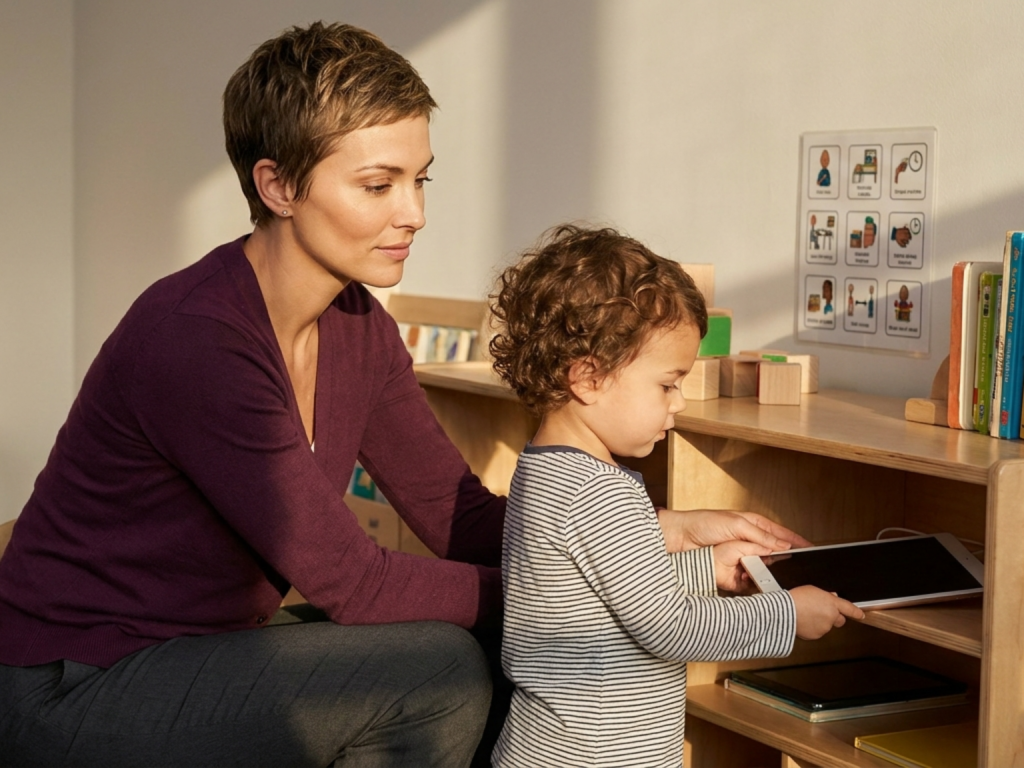
Transitions are easier when children know what comes next. Try a sequence such as: warning, timer, closing ritual, replacement activity, and connection. For example: “When the timer rings, we will say goodbye to the show, put the tablet on the shelf, and choose blocks or play dough.” Some children benefit from pressing the off button themselves, because it gives them a small sense of agency.
Expect protest. Crying or bargaining does not mean the boundary is harmful; it may mean the child is practicing coping with a limit. Stay calm, keep the rule brief, and avoid lengthy debate. If screen limits trigger extreme, prolonged distress, aggression, self-injury, severe sleep loss, or functional impairment, discuss the pattern with your child’s pediatrician or a qualified child development professional.
When to be more cautious
- Seek medical advice if screen use is associated with persistent sleep disruption, severe tantrums, regression, or loss of skills.
- Do not use screens as a substitute for urgent evaluation of hearing, speech, vision, developmental, or behavioral concerns.
- Avoid violent, frightening, sexualized, or adult-targeted content around preschool children.
- Keep devices out of bedrooms, especially if your child wakes at night to seek screens.
- If screens are used for therapy, communication, or disability support, ask the treating clinician how to balance access with rest and play.
Tools & Assistance
- Create a one-page family media plan and place it near the charging station.
- Use parental controls to disable autoplay, restrict apps, and limit viewing time.
- Build a basket of screen-free activities for meals, waiting rooms, and transitions.
- Ask your pediatrician about sleep, speech-language, vision, hearing, or developmental concerns.
- Track screen time, bedtime, mood, and behavior for one week before making changes.
FAQ
Is one hour of screen time always safe for every preschooler?
Not always. One hour or less of high-quality content is a general guideline for ages 2 to 5, but some children are more sensitive to timing, content, or transitions. Individualize with your pediatric clinician if concerns arise.
Does video chatting count as screen time?
Video chatting is usually treated differently because it is interactive and relationship-based. It can support connection with family members, especially when an adult helps the child participate.
What if screens are the only way I can cook dinner or work?
Many families use screens strategically. Try to keep the content high-quality, time-limited, and predictable, while gradually adding safe independent play options when possible.
Should preschoolers have tablets in their bedrooms?
It is generally better to keep tablets, phones, televisions, and gaming devices out of bedrooms. Bedroom access can increase use and interfere with sleep.
How do I stop autoplay battles?
Turn autoplay off, choose a single episode before starting, use a timer, and create a closing ritual such as saying goodbye to the characters before placing the device on a charging shelf.
Sources
- Canadian Paediatric Society — Screen time and preschool children
- PubMed Central, National Institutes of Health — Effects of Excessive Screen Time on Child Development
- Mayo Clinic — Screen time and children: How to guide your child
Disclaimer
This article is for informational purposes only and does not replace medical, developmental, or mental health care. Consult a qualified healthcare professional for concerns about your child’s sleep, behavior, development, or screen use.

















Please log in to leave a comment.