
Intro
Technology products can support learning, communication, creativity, accessibility, and play, but children do not experience devices in the same way adults do. Age, neurodevelopment, temperament, sleep needs, family routines, and the design of the product all influence whether a device is helpful or disruptive.
This guide explains common technology products for children, the developmental questions to ask before buying one, and practical ways to reduce risks. The goal is not to eliminate technology, but to choose tools intentionally and build routines that protect sleep, movement, relationships, privacy, and emotional well-being.
Highlights
A useful product is developmentally appropriate, understandable to caregivers, and compatible with the child’s sleep and activity needs.
Content quality, adult involvement, and predictable routines often matter as much as the number of minutes a child uses a screen.
Parental controls can reduce exposure to unsuitable content, but they do not replace supervision, communication, or privacy education.
Wearables and connected toys may collect sensitive data, so families should review permissions, account settings, and manufacturer policies.
Children with sensory, motor, communication, or learning differences may benefit from technology, ideally with guidance from relevant professionals.
What counts as a technology product for children?
Technology products for children include much more than a tablet or smartphone. Common examples are laptops used for schoolwork, e-readers, game consoles, handheld gaming devices, child-oriented cameras, smart speakers, GPS-enabled watches, activity trackers, connected toys, virtual-reality headsets, and communication or accessibility devices. Some products are designed specifically for children, while others are general consumer devices configured with child accounts and restrictions.
Each category creates a different pattern of use. A school laptop may require sustained visual attention and keyboard work. A gaming console may involve rapid visual stimuli, physical movement, social interaction, or prolonged sitting. A smartwatch can support communication or location awareness but may also introduce notifications and data collection. An augmentative and alternative communication device may be essential for a child who has limited speech; its value should not be judged by ordinary recreational screen-time rules.
The central question is therefore not simply, “How much screen time is allowed?” A more useful question is, “What is this product helping the child do, and what important activity might it displace?” Technology can be beneficial when it supports a clear purpose without consistently crowding out sleep, physical activity, face-to-face interaction, school participation, imaginative play, or family connection.
Choosing products by age and developmental readiness
Age labels are useful starting points, but developmental readiness is equally important. Infants and very young children learn primarily through responsive human interaction, sensory exploration, movement, and sleep. The American Psychological Association recommends avoiding screen media for children younger than 18 months except for video chatting, with carefully selected, high-quality content and adult involvement becoming more relevant as children grow.
For toddlers and preschoolers, a device should be simple, durable, and easy for an adult to supervise. Short, predictable sessions with age-appropriate content are generally more manageable than unrestricted access. Co-viewing allows a caregiver to explain unfamiliar words, connect digital material to real-world experiences, and notice whether the content is frightening, confusing, or overly stimulating. A child who cannot yet stop an activity independently may need an adult to provide the beginning, middle, and end of each session.
School-age children may use technology for research, writing, educational games, creative projects, communication, and entertainment. At this stage, families can teach practical skills such as checking sources, protecting passwords, recognizing advertising, reporting harmful content, and taking breaks. Adolescents may need increasing privacy and autonomy, but they still benefit from conversations about sleep, social pressure, commercial data collection, online conflict, and sexual safety.
Children with attention-deficit/hyperactivity disorder, autism, developmental disabilities, visual or hearing impairment, motor difficulties, or communication needs may require individualized decisions. A product that is distracting for one child may provide essential structure or access for another. An occupational therapist, speech-language pathologist, teacher, pediatrician, or other qualified professional can help assess the child’s functional goals and recommend adaptations without treating technology as a substitute for comprehensive care.
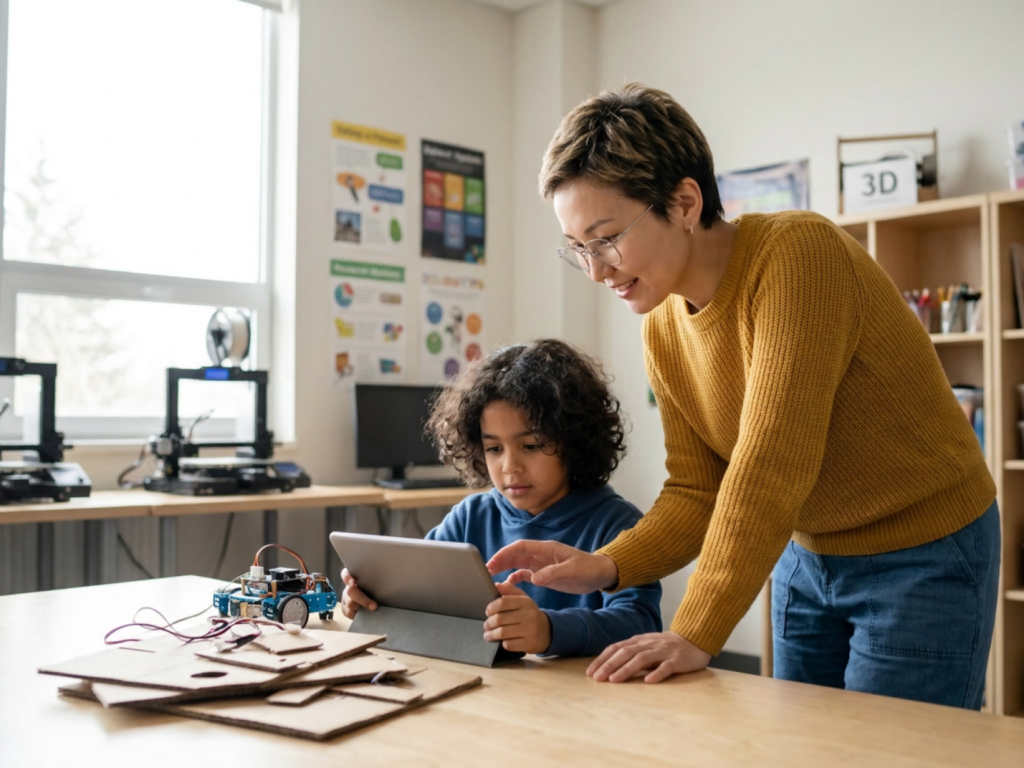
Tablets, computers, and educational devices
Tablets are portable and intuitive, making them useful for reading, drawing, video calls, language practice, and selected educational applications. Computers may be better for sustained writing, coding, research, and school platforms because they offer a larger display, keyboard, and more precise control. E-readers can reduce some distractions, although lighting, posture, and reading duration still matter.
When evaluating an educational product, look beyond claims such as “brain boosting” or “personalized learning.” Ask whether the activity requires active thinking, gives understandable feedback, allows the child to create rather than merely tap, and can be connected to hands-on learning. An application that rewards rapid responses may not promote the same skills as one that encourages explanation, planning, or problem solving. Content should also be culturally and linguistically appropriate for the child and accessible if the child has a disability.
Ergonomics matter. A screen positioned too close, a poorly supported laptop, or prolonged neck flexion can contribute to eye strain, headaches, neck discomfort, and musculoskeletal symptoms from screens. Encourage a comfortable posture, regular visual breaks, appropriate lighting, and movement between tasks. These measures do not require a perfect workstation; small changes, such as raising a laptop and using an external keyboard, may improve comfort.
School requirements should be separated from recreational use when possible. A child may need a computer for homework, but that does not mean every application or notification should remain available during study. Disabling nonessential alerts, using separate school and entertainment profiles, and keeping devices in a shared area can reduce digital distraction during homework.
Gaming systems, virtual reality, and interactive play
Gaming can offer enjoyment, social connection, storytelling, problem solving, and practice with planning or visuospatial skills. Some games also encourage movement or collaboration. Benefits depend on the design of the game, the child’s response, the social environment, and whether gaming remains one part of a balanced day.
Families should review age ratings, chat functions, in-game purchases, advertising, and the ability to encounter user-generated content. Multiplayer communication can expose children to harassment, profanity, manipulation, or unwanted contact. Young players may not understand that a friendly online interaction can still involve an unknown adult. Privacy settings, contact restrictions, and regular conversations about reporting and blocking are important protective measures.
Virtual-reality headsets require additional caution. They can cause motion sickness, headache, dizziness, visual discomfort, or loss of awareness of nearby hazards. Use should follow the manufacturer’s age guidance, with clear physical space and adult supervision. A child should stop if symptoms occur rather than trying to “push through” them. Children with a history of seizures, significant migraine, vestibular disorders, or other relevant medical concerns should be discussed with a healthcare professional before use.
Gaming limits work best when they are predictable and negotiated before play begins. A visible timer, a planned stopping point, and a transition activity can reduce conflict. For families seeking practical language and routines, screen transitions and meltdowns often improve when adults give advance notice, acknowledge disappointment, and maintain the boundary without prolonged debate.
Wearables, smart toys, and connected devices
Smartwatches, activity trackers, location devices, smart speakers, and connected toys may help with communication, navigation, reminders, physical activity, or family coordination. For a child with a medical or developmental need, a wearable may support safety or independence. However, a device that collects location, voice, biometric, or behavioral data deserves careful review before purchase.
Check what information is collected, where it is stored, who can access it, whether data are shared with advertisers or other companies, and how an account can be deleted. Use a strong, unique password and enable multifactor authentication when available. Review microphone, camera, contact, location, and notification permissions. Privacy settings for child accounts should be revisited as the child grows and as software changes.
Connected toys should not be placed in private spaces if they contain microphones or cameras. Explain to children that a device may record or transmit information and that they should not share their full name, school, address, passwords, or private images without consulting a trusted adult. Location tracking can be useful, but it should be balanced with the child’s emerging understanding of consent and personal boundaries.
Activity trackers may motivate movement, but they can also encourage excessive monitoring or anxiety about numbers. Avoid presenting steps, calories, sleep scores, or heart-rate readings as measures of worth. If a child becomes distressed, restrictive around food or activity, or preoccupied with bodily data, pause the feature and seek professional advice.
Health, sleep, attention, and emotional well-being
Technology affects health through several pathways: direct exposure to content, prolonged sitting, delayed bedtime, emotional arousal, social comparison, and displacement of sleep or movement. Research summarized in a systematic review indicates that outcomes vary according to age, duration, content, context, and individual vulnerability. This is why a single universal limit cannot capture every child’s needs.
Sleep deserves particular attention. Bright light, stimulating content, notifications, and the habit of using a device in bed can delay sleep or fragment the night. A screen-free bedtime routine, devices charged outside the bedroom, and consistent sleep and wake times are practical starting points. If a child has persistent difficulty falling asleep, frequent night waking, daytime sleepiness, snoring, or a marked change in functioning, discuss the pattern with a healthcare professional rather than assuming the device is the only cause.
Attention and behavior may also change around technology. Some children become irritable when stopping a highly rewarding activity, while others appear withdrawn or anxious after upsetting online experiences. Technology-related sleep disruption in children can present as poorer concentration, emotional lability, or reduced school participation. Observe patterns across several days and consider what happens before and after device use rather than labeling the child as oppositional.
Digital tools can also support well-being. Video calls maintain relationships across distance, accessible applications may increase independence, and carefully selected creative activities can help children express ideas. The aim is balanced use: technology should add value without becoming the primary way a child regulates every difficult emotion or avoids every offline challenge.
Building a safe and sustainable family routine
A family media plan makes expectations visible and reduces the need for repeated negotiations. It can specify where devices are used, which products are allowed, when notifications are silenced, how purchases are approved, what happens during homework, and when devices charge. The plan should include adult behavior because children learn from what caregivers model.
Useful digital media boundaries for children are specific rather than vague. For example, a family might agree that devices stay out of bedrooms overnight, entertainment follows homework and outdoor play, new applications require adult review, and everyone takes breaks during long sessions. Limits should account for schoolwork, disability-related use, family culture, and the child’s need for connection. A rigid rule that treats a video call, a communication device, and passive entertainment as identical may be impractical.
Prepare children for transitions. Give a time warning, identify a natural stopping point, and state what comes next. When possible, let the child choose between two offline activities. If a device is being removed for safety reasons, explain the reason briefly and calmly. Repeated arguments may indicate that the schedule is too unpredictable, the content is too stimulating, the child is overtired, or the product is not a good fit.
Review the routine periodically. Ask whether sleep, mood, movement, school participation, friendships, and family interactions are functioning adequately. Healthy screen routines for children should remain flexible enough for travel, illness, school projects, and special events while preserving core protections around sleep, safety, and respectful communication.
When to seek professional guidance
Consult a pediatrician or another qualified professional when technology use is associated with persistent sleep loss, recurrent headaches, eye discomfort, pain, significant mood changes, school decline, social withdrawal, unsafe behavior, or conflict that the family cannot manage. Professional assessment for persistent behavior can help distinguish a technology problem from an underlying sleep disorder, anxiety, depression, attention difficulty, learning issue, sensory need, or family stressor.
Seek prompt help if a child reports threats, sexual exploitation, coercion, self-harm content, or contact from an adult who requests secrecy. Preserve relevant evidence when safe, use platform reporting tools, block the account, and contact appropriate safeguarding or emergency services based on the immediacy of the danger. Do not shame the child; fear of punishment can make disclosure less likely.
Medical evaluation is also appropriate when a child develops recurrent dizziness, fainting, severe headaches, visual changes, unusual movements, or other concerning symptoms during or after gaming or virtual reality. A professional can advise whether the product should be stopped and whether additional assessment is needed.
Technology can be part of a healthy childhood, but it should remain a tool rather than the organizer of every family decision. Reassess products as children mature, needs change, and new risks emerge.
Warnings for families
- Do not use a connected device as a substitute for urgent medical, developmental, or mental-health evaluation.
- Stop virtual-reality or visually intense activities if dizziness, nausea, headache, visual symptoms, or unusual neurological symptoms occur.
- Keep cameras, microphones, location sharing, and voice assistants disabled unless they are genuinely needed.
- Treat threats, sexual coercion, self-harm content, and requests for secrecy as safeguarding concerns, not ordinary online disagreements.
- Avoid taking away essential communication or accessibility technology without identifying a safe alternative.
Tools & Assistance
- Create a written family media plan with device locations, charging times, content rules, and transition routines.
- Review age ratings, privacy policies, permissions, parental controls, and purchase settings before activating a product.
- Use a pediatrician, occupational therapist, speech-language pathologist, psychologist, or school professional for individualized guidance.
- Keep devices out of bedrooms overnight and use a shared charging station when appropriate.
- Record patterns of sleep, mood, pain, and device use for several days before a clinical appointment.
FAQ
What is the best first technology product for a young child?
There is no universally best product. Choose the simplest device that serves a clear purpose, allows adult supervision, limits advertising and unnecessary data collection, and does not displace sleep, movement, play, or responsive interaction.
Are educational applications always beneficial?
No. Quality varies widely. Look for active participation, understandable feedback, accessibility, minimal advertising, and opportunities to connect the activity with real-world conversation or practice.
Should children have devices in their bedrooms?
Many families benefit from charging entertainment and communication devices outside bedrooms overnight. Exceptions may be appropriate for health, accessibility, or safety needs, but notifications and nonessential functions should still be limited.
How can caregivers reduce arguments when screen time ends?
Set expectations before use, give advance warnings, stop at a natural break, offer a predictable next activity, and remain calm and consistent. Frequent severe reactions warrant a closer look at sleep, content, routines, and possible underlying needs.
Can technology help a child with a disability?
Yes. Assistive and accessible technology may support communication, learning, mobility, organization, or independence. Recommendations should be individualized, and essential assistive technology should not be treated as interchangeable with recreational screen use.
Sources
- Mayo Clinic — Screen time and children: How to guide your child
- American Psychological Association — Digital guidelines: Promoting healthy technology use for children
- PubMed Central — Impacts of technology on children's health: a systematic review
Disclaimer
This article is for general educational information and does not diagnose, treat, or prescribe for any child. Consult a qualified healthcare professional for individualized medical, developmental, behavioral, or safety concerns.


















Please log in to leave a comment.